Academy voucher admin
The two options of the ‘Create a Batch of Vouchers’ and ‘Create and Email Voucher’ are similar in function. The ‘Create a Batch of Vouchers’ is useful when providing a large number of voucher codes for an organisation to distribute. These batches can be viewed, managed and reported on through other menu options in the Voucher Creator area. When creating a batch the ‘Manage Invoices’ area should be checked to ensure that vouchers have been released where a payment is required from the organisation before the voucher codes are activated for use.
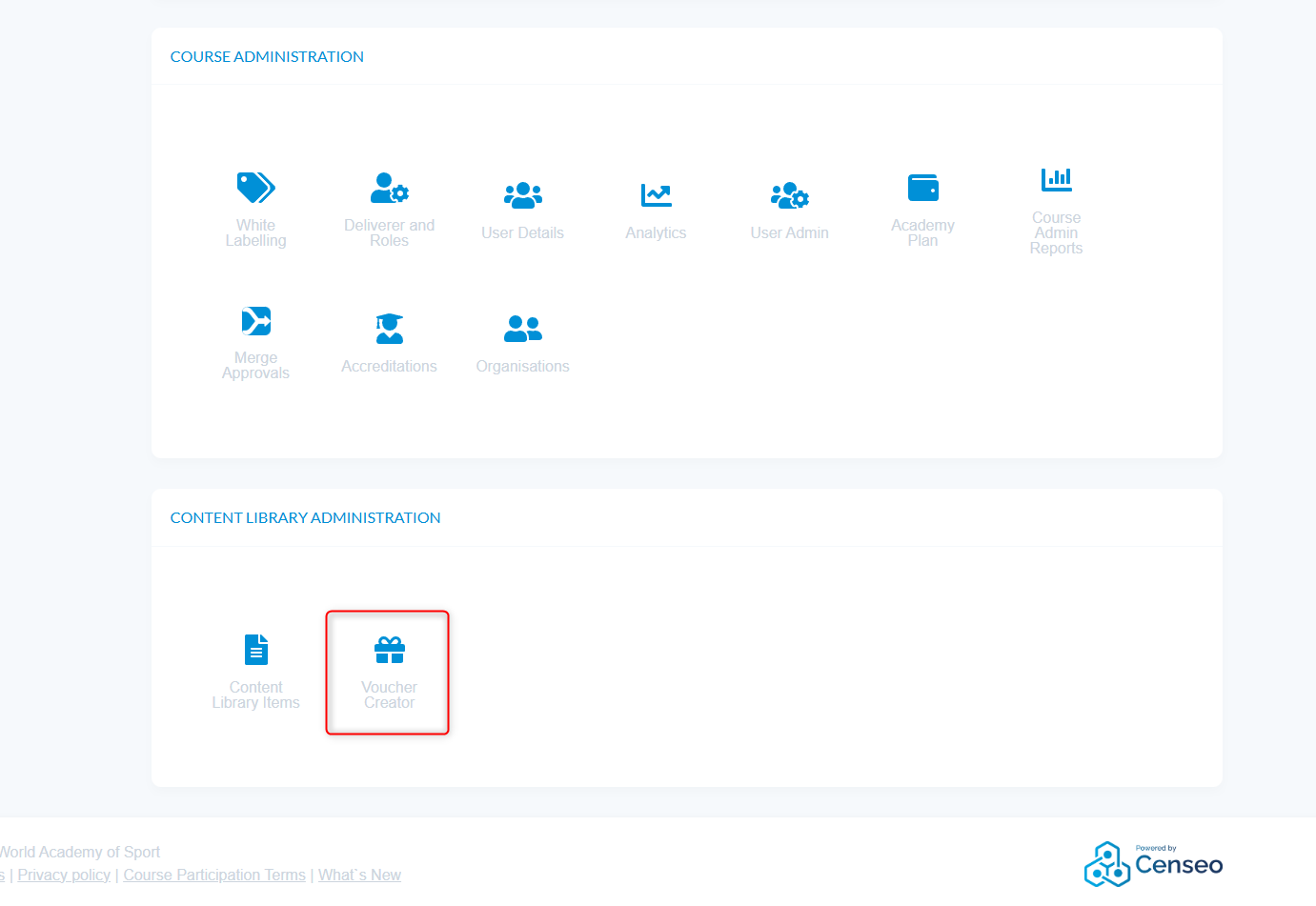
- Navigate to Admin > Voucher Creator
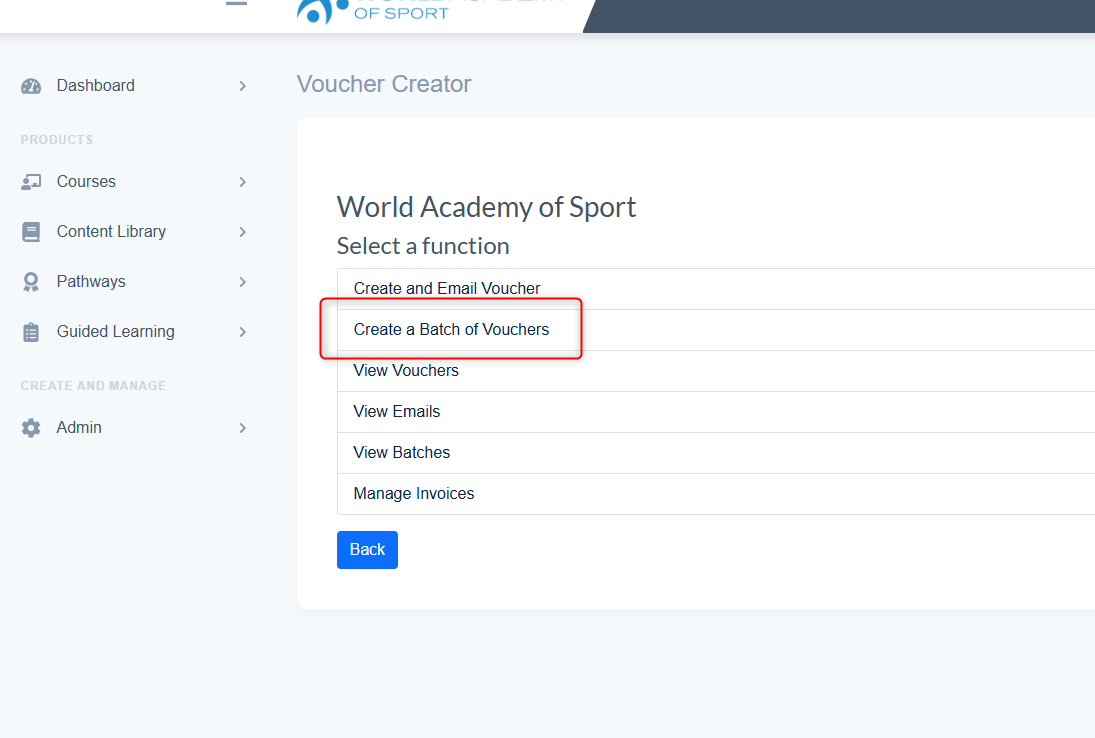
- Select - Create a Batch of Vouchers
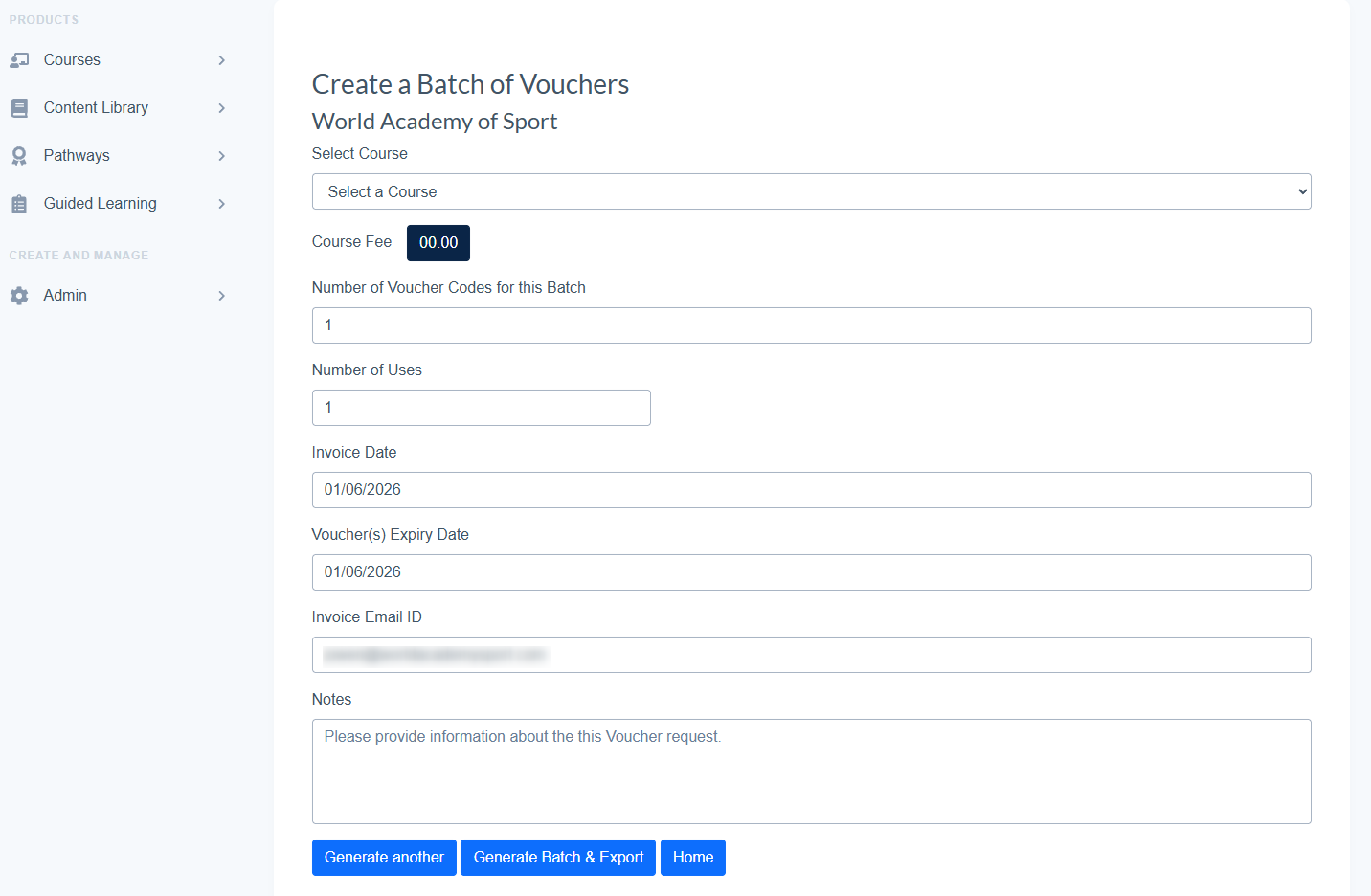
- Select Course/Programme
- Input Number of Vouchers for this Batch
- Add Email for Invoice
- Generate Batch - Vouchers are created and exports excel file.
- Option to Generate another batch
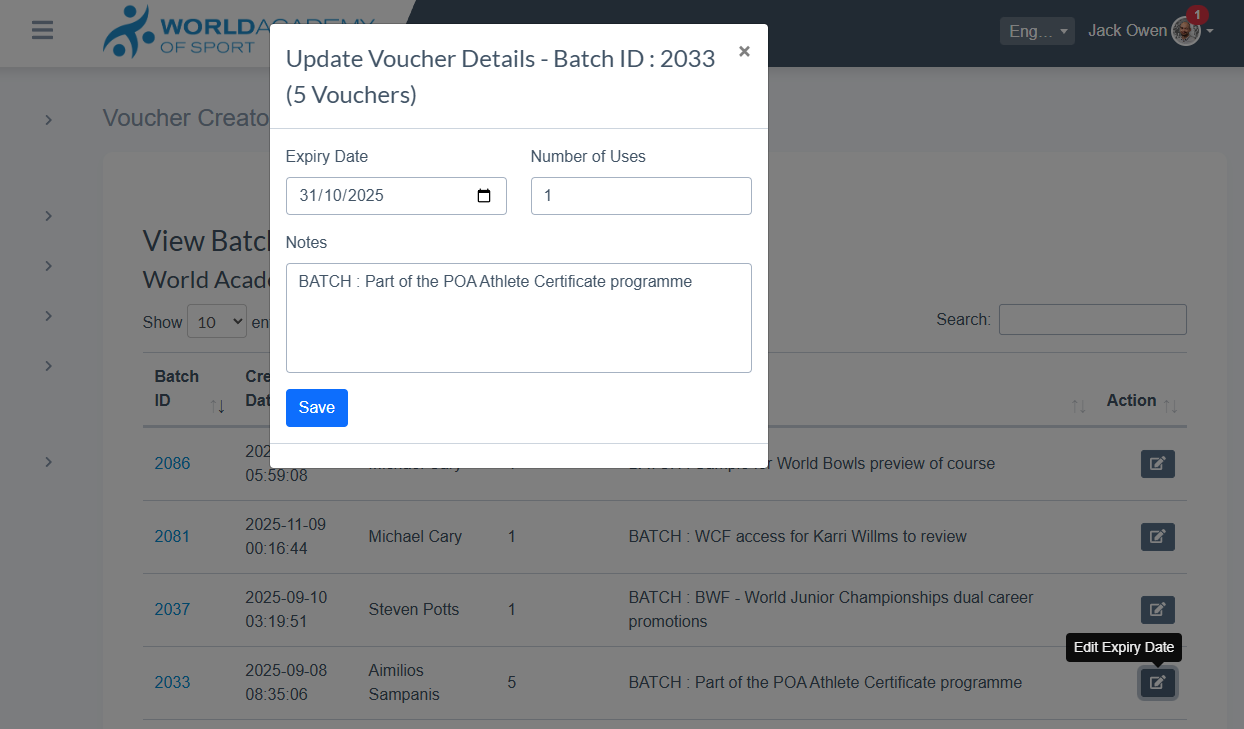
- Generated Batch vouchers can be viewed in the View Batch Voucher function
- Here you can edit the Expiry Date