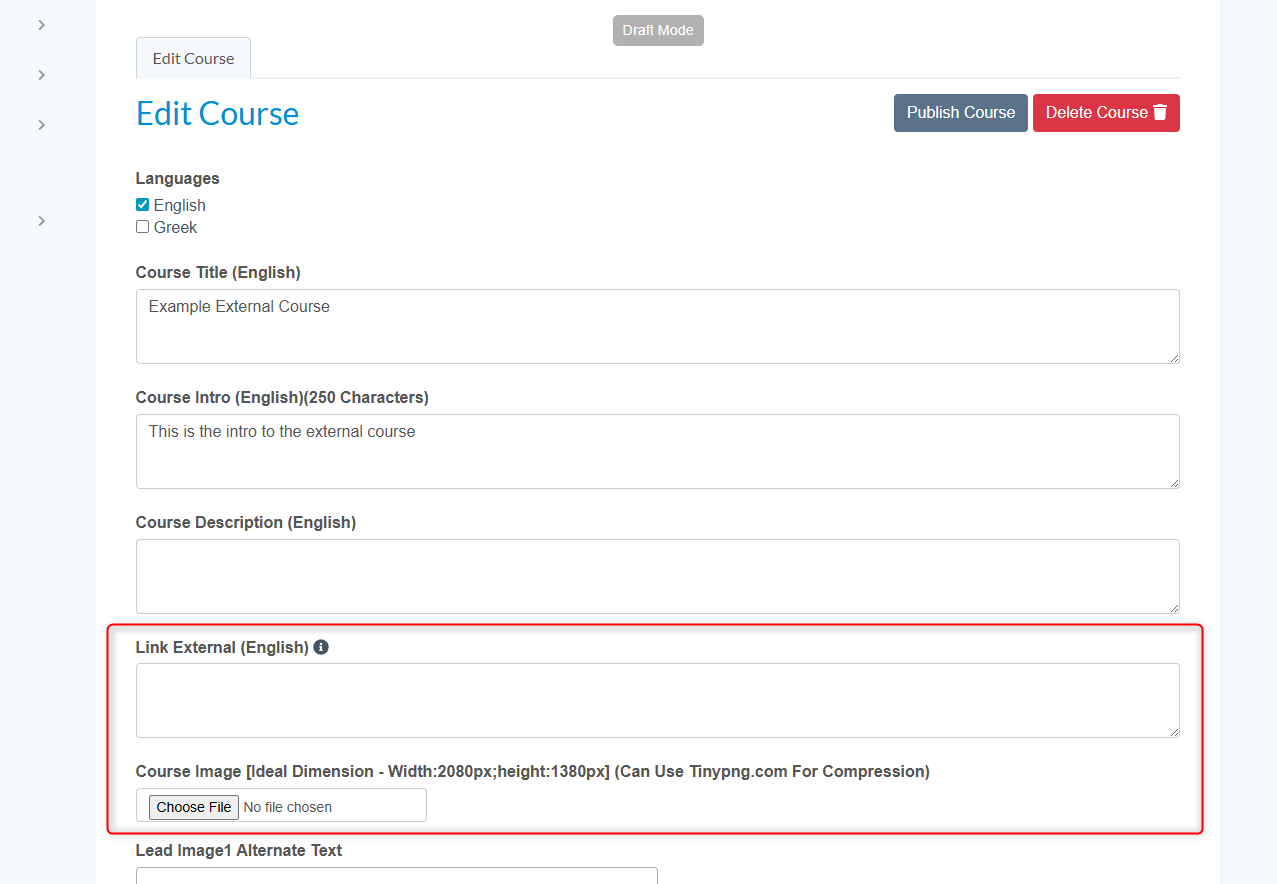
You may need to include curriculum in a pathway that is delivered on a different platform or just signpost users to other courses. By setting up an 'External Course' users can be directed to such courses where they would need to register and complete the course on a different platform. You can add an image thumbnail, course info, a more detailed course description, and a link to the external course on the Censeo platform.
Once users have successfully completed the external course they can upload their certificate of completion for your approval on Censeo which we will cover in a separate help article. Therefore, you can incorporate such courses into learning pathways or recognise such courses in other Censeo features.
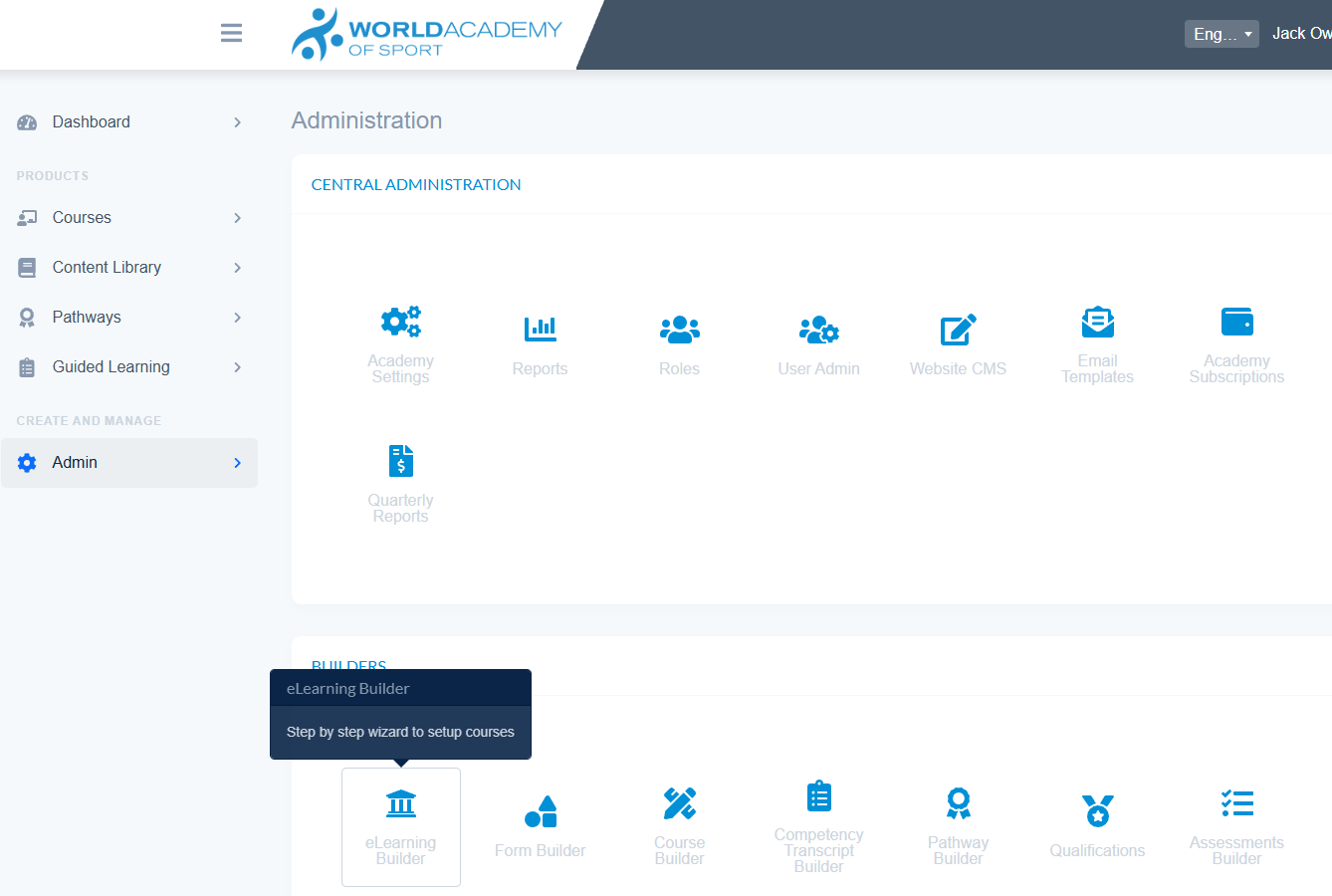
- Navigate to Admin - eLearning Builder
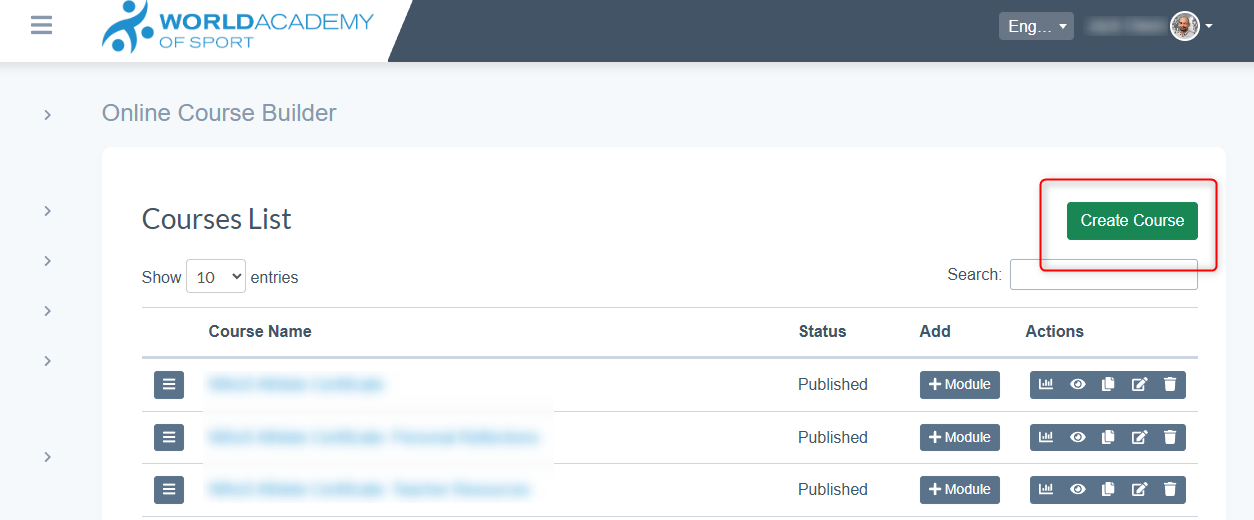
- Select 'Create Course' to create a new course
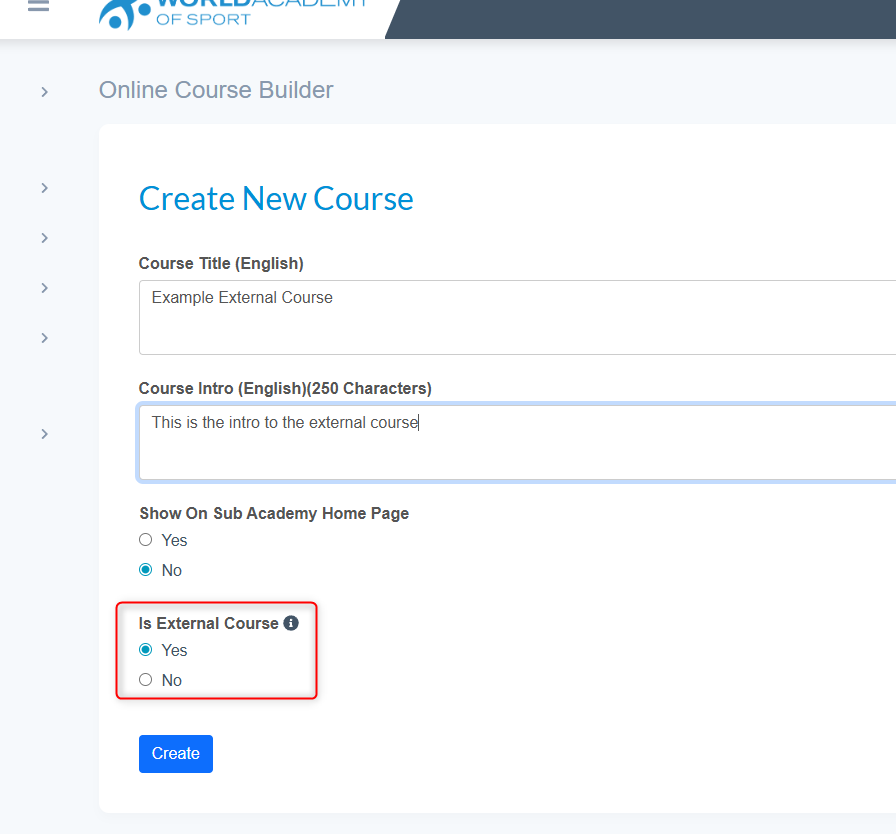
- To setup an external course make sure the radio button is set to Yes.
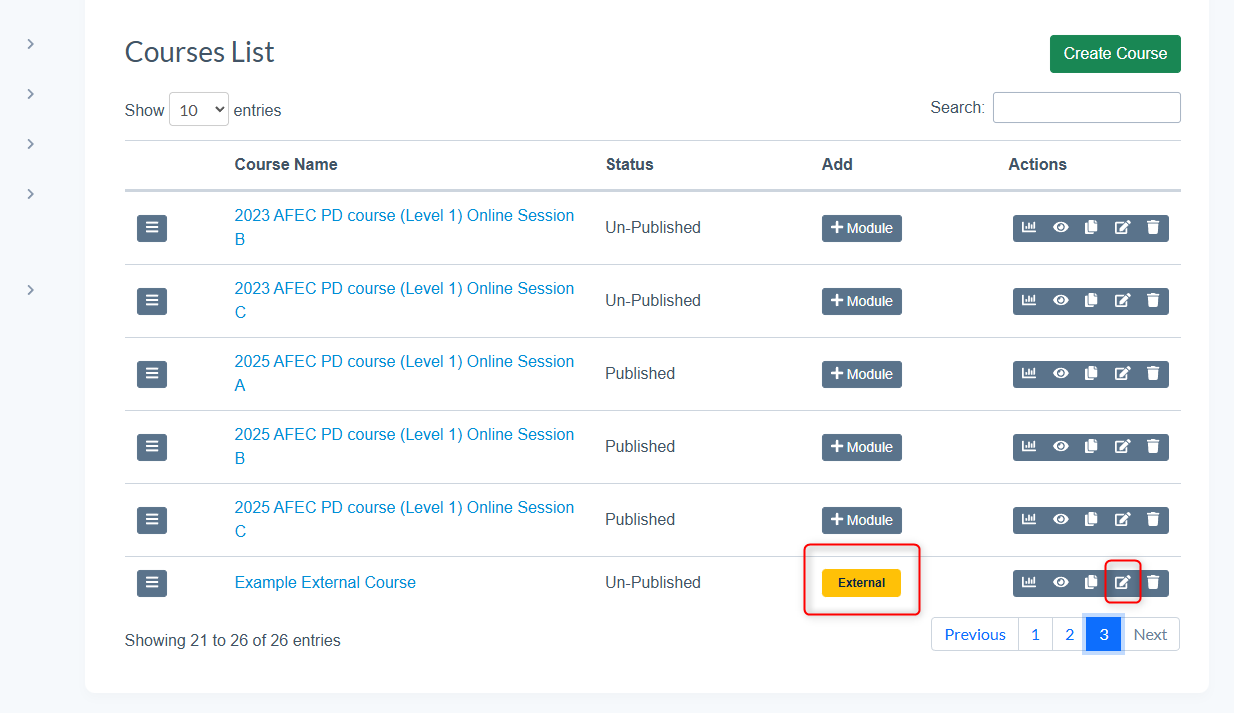
- The new course will now show in the Course List as 'External'
- To edit the course settings and link the external course select the edit icon
- Edit the course information and include the external course link the the box provided