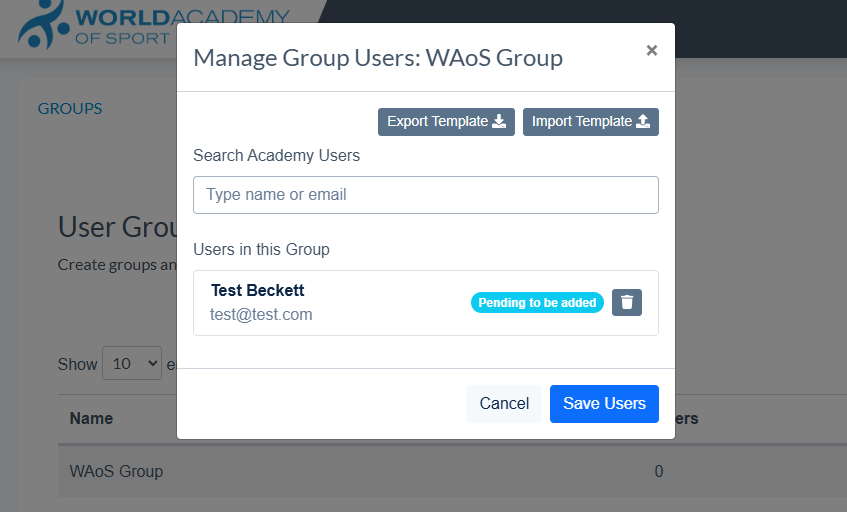
An Admin can create a group, add users or upload in bulk.
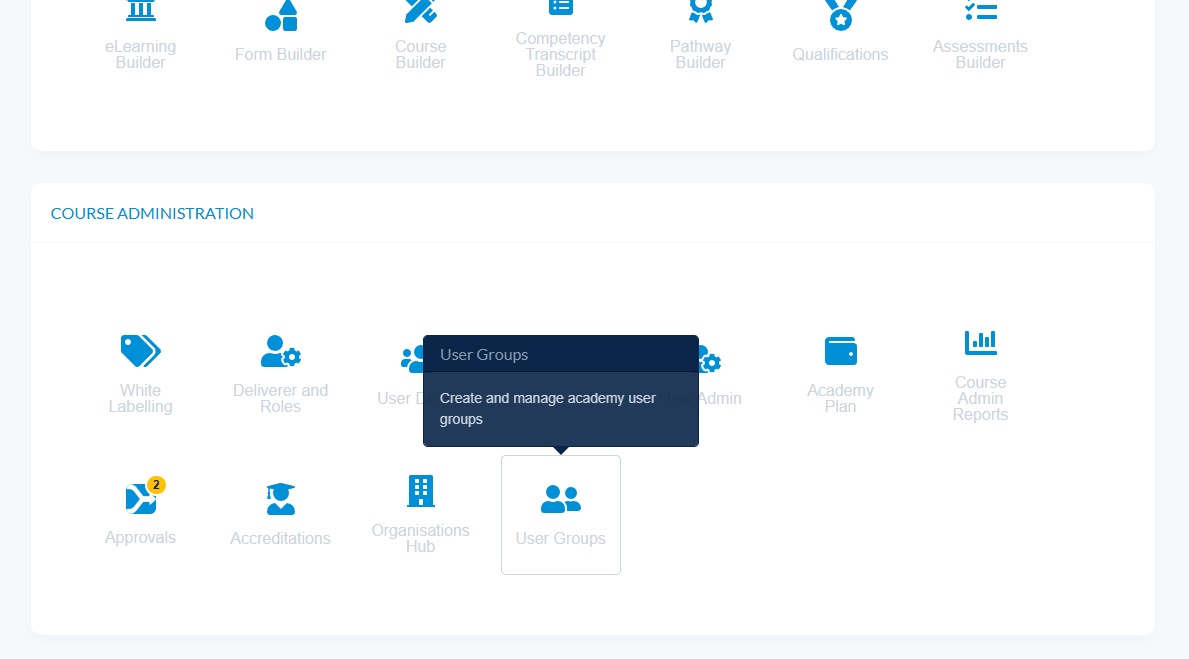
- Navigate to Admin - Course Administration - User Groups
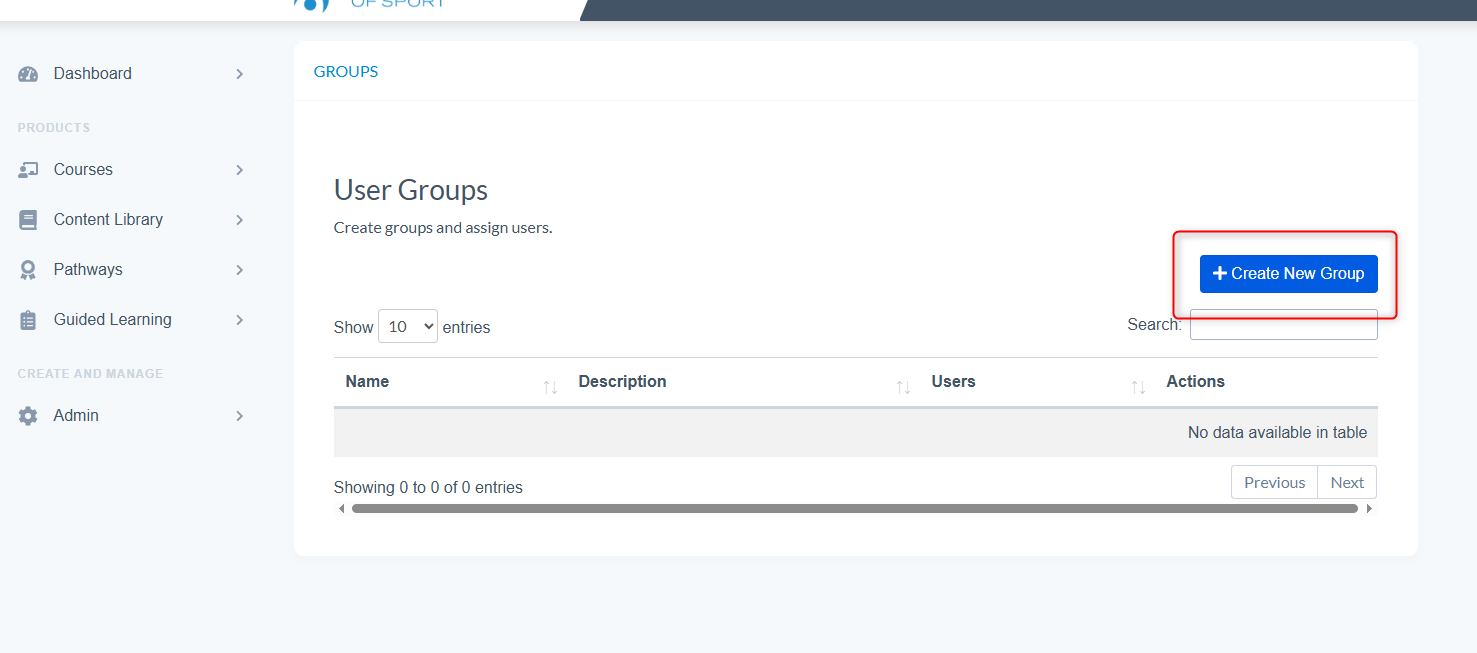
- Select 'Create New Group'
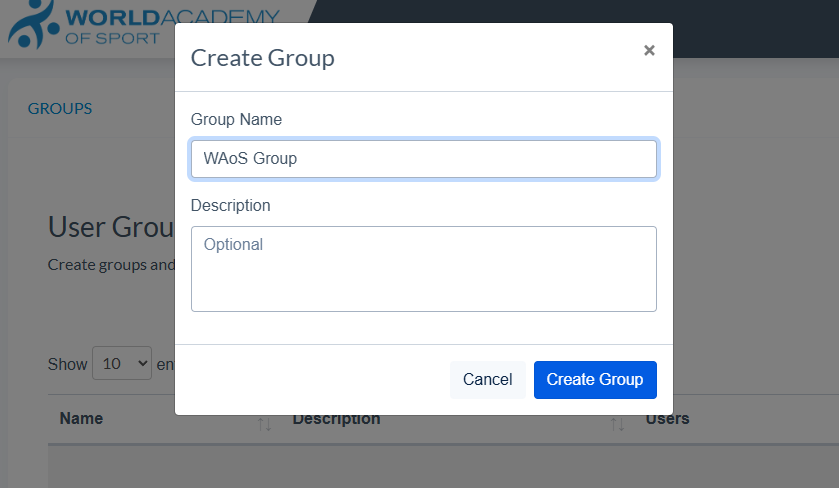
- Name the group and you can give a description to help you identify it later
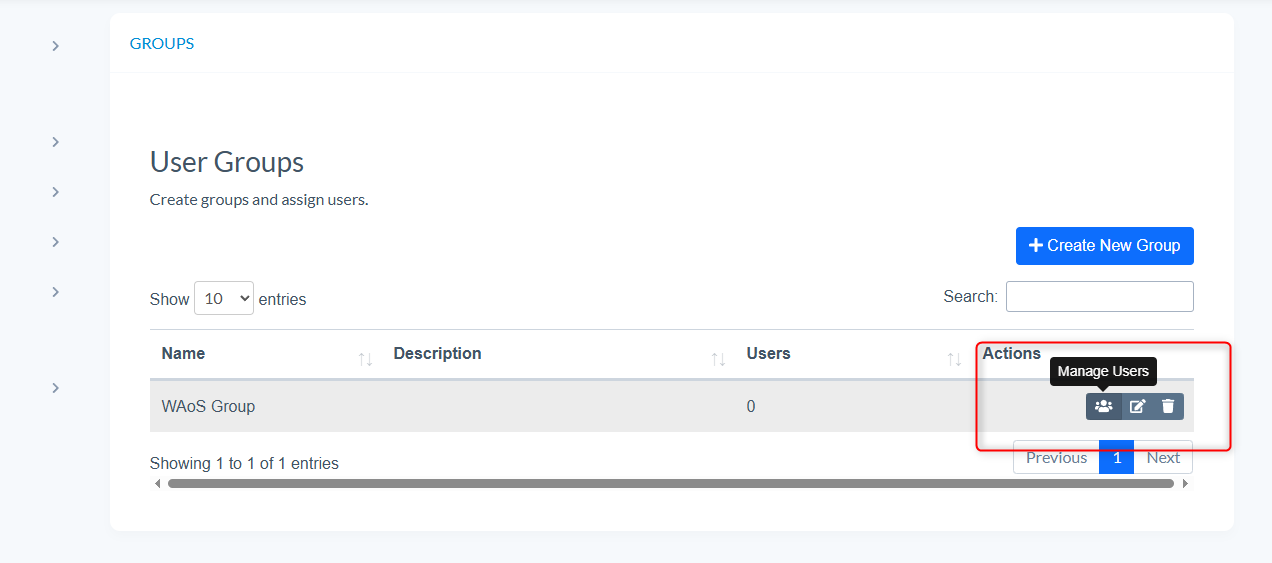
- To add users to a group select the 'Manage Users' button
- Here you can search for registered Academy Users
- Or Export/Import Template to bulk upload a group of users
- Select Save Users to confirm changes